Setting Everything Up
Assuming you already own Palworld on Steam, you already have access to the dedicated server software.
- Open your Steam Library
- Search for Palworld (the server is usually hidden until searched)
- Install Palworld Dedicated Server
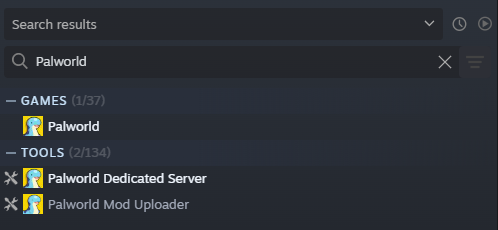
After installing the server:
- Do not launch it from Steam
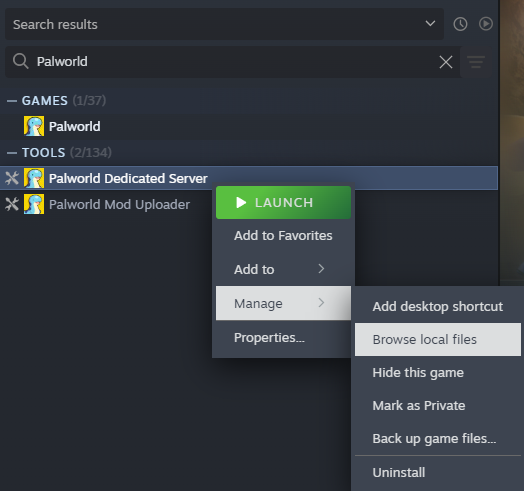
- Right‑click Palworld Dedicated Server
- Select Manage → Browse local files
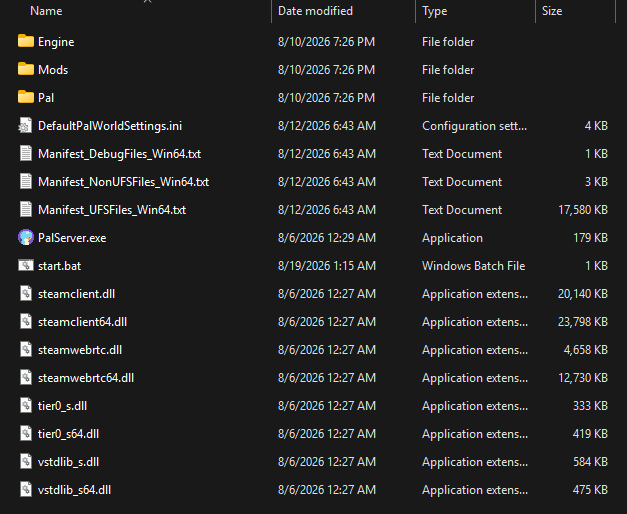
The server directory will look similar to this:
Writing the startup script
Create a new file, we’ve called ours start.bat. Inside, this is what it looks like:
start PalServer.exe -EpicApp=PalServer -useperfthreads -NoAsyncLoadingThread -UseMultithreadForDS -port=8211 -publicip=69.9.181.16 -publicport=30551 -publiclobby -ServerName="Palworld via playit.gg" -ServerDescription="This server is tunneled via playit.gg" -AdminPassword="a1b2c3d4"
exit
Flags:
-port=8211- The local server port. This does not need changed.
-publicip=- The public facing IP address of your tunnel from playit.gg
-publicport=- The public facing port of your tunnel from playit.gg
-publiclobby- Makes the server joinable via the server list.
-players=- Sets the maximum number of players.
-ServerName="Name"- Defines the server name, must be a string.
-ServerDescription="Description"Defines the server description, must be a string.
-ServerPassword="Password"- Sets the server password, must be a string. For no password, don’t define this.
-AdminPassword="Password"- The admin password for the game’s console, must be a string.
Creating the tunnel
- Type: Palworld
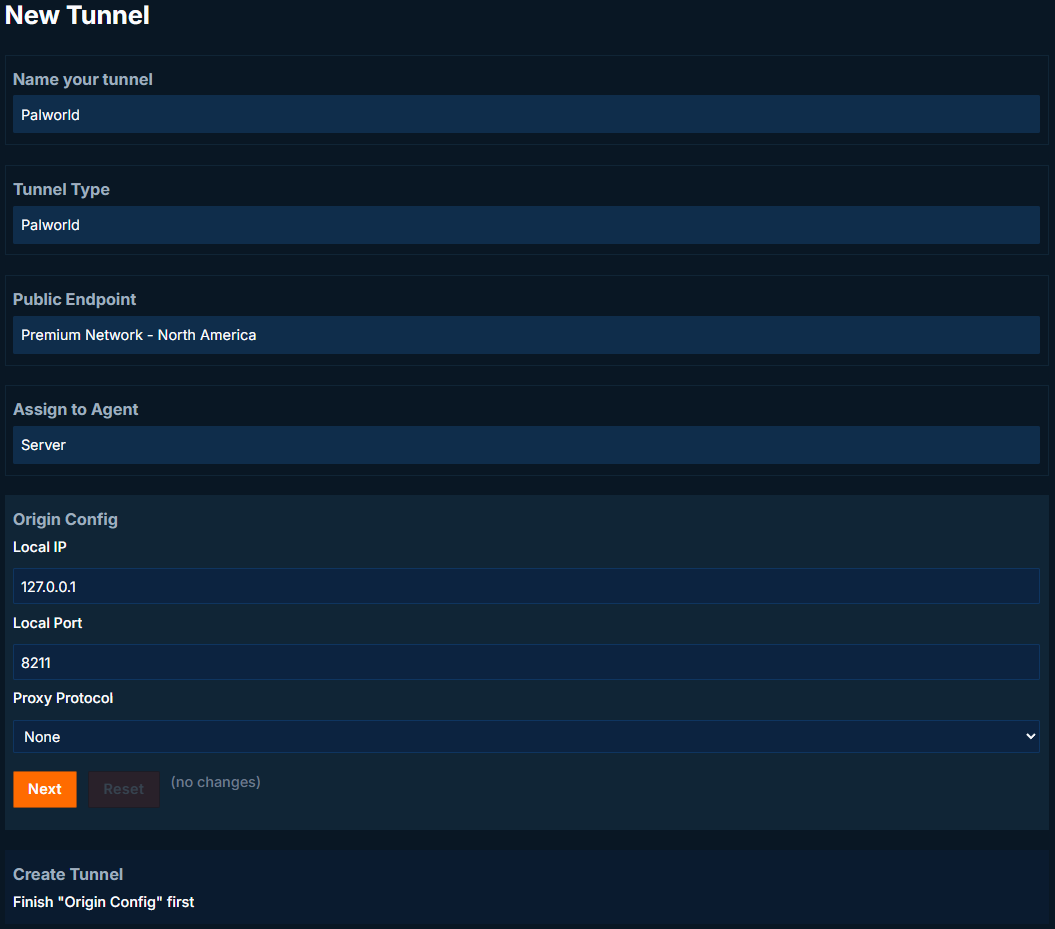
Leave Origin Configuration at the default values, and create the tunnel.
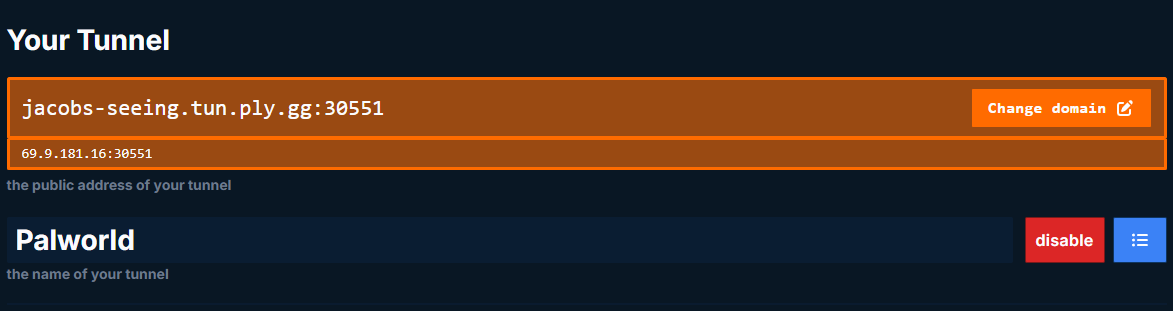
After tunnel creation, your tunnel address will be displayed at the top of the page.
Verify the Server Runs
Double click the newly created start.bat. The server console should look like this on a successful launch:
Setting breakpad minidump AppID = 1623730
Game version is v1.0.3.101283
Running Palworld dedicated server on :8211
[2026-08-1 00:00:30] [LOG] playit.gg 127.32.64.128 connected the server. (User id: steam_00000000000000000)

[2026-08-1 00:00:30] [LOG] playit.gg joined the server. (User id: steam_00000000000000000, Player id: 00000000000000000000000000000000)
Joining the server
There are two ways to join the server - direct connect or server list. If you did not launch the server with -publiclobby, then users need to join using the tunnel address. Since our server is a public lobby, we can see it in the server list, and join from it.